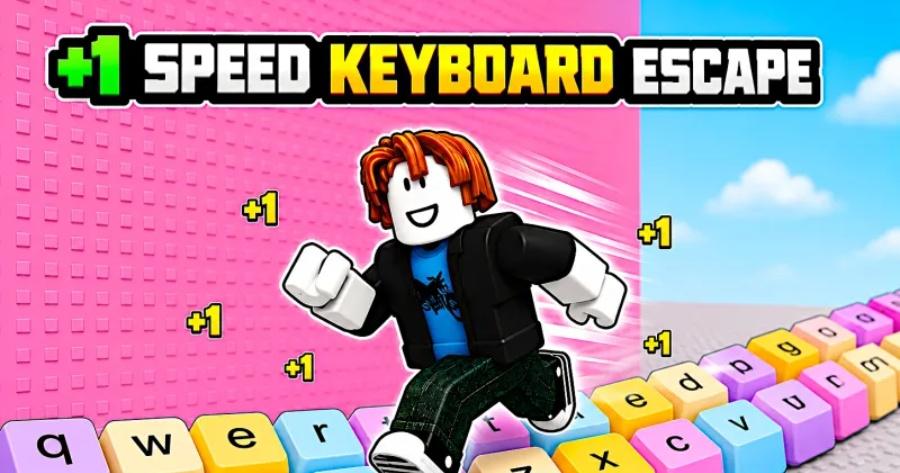
Spot the subtle key routes tucked quietly inside your escape run.
⌨️ Want to know where the cleanest escapes are hiding? Or just want to handle everyday runs like a tight hallway turn and a quick door dash without wiping out? A quick in-game test may reveal tricks you never knew your hands could pull off.
Explore the useful insights that could match your play style:
| Are You Using The Right Movement Timing? | How Fast Are Your Key Switches Really? |
| What Do Patterns Say About Safe Routes? | Share Your Trick With Friends |
I want to tell you about the moment this game changed for me. I was running a course I'd already done maybe fifty times, eyes locked on the same corridor I always took, muscle memory doing most of the work while my brain was basically on autopilot. And then I noticed a tile. One tile, slightly different shade than the rest of the floor, tucked against a wall I'd sprinted past every single run without a second thought. I walked over to it out of sheer curiosity, hit a key at the wrong time, which turned out to be exactly the right time, and a wall section slid open into a passage that bypassed the entire next obstacle cluster.
I stood there for a second genuinely annoyed at myself. Fifty runs. That tile was there for fifty runs and I never looked down.
That's Speed Keyboard Escape in a nutshell, really. The game is dense with secrets that are hiding in plain sight, and the gap between players who run the standard routes and players who've found the shortcuts isn't about finger speed or reflexes. It's about observation. The fastest players aren't always the ones pressing keys the quickest. They're the ones running a shorter course because they bothered to look where everyone else stopped looking.
What Makes Shortcuts Different From Sequence Breaks
Before we go any further I should clarify something because these terms get thrown around interchangeably and they really shouldn't be. Sequence breaks, the frame-perfect physics exploits that let you clip through obstacles, are a fundamentally different skill from shortcut navigation. Breaks are about precision inputs and physics manipulation. Shortcuts are about exploration and environmental reading. You don't need frame-perfect timing to use a shortcut. You need eyes.
That distinction matters because shortcuts are dramatically more accessible than sequence breaks. If you can run a standard course, you can use shortcuts. The learning curve isn't about developing sub-second finger precision. It's about retraining yourself to pay attention to the environment instead of tunnel-visioning the obvious path forward. And honestly, that retraining is harder than it sounds, because the game does a very effective job of funneling your attention toward the standard route. The corridors are wide and obvious. The obstacles are loud and attention-grabbing. Everything about the visual design screams "go this way," and most players obey without questioning it.
The shortcuts are quiet. They don't announce themselves. A discolored tile. A wall texture that doesn't quite match. A platform that sits slightly higher or lower than its neighbors for no apparent reason. These are breadcrumbs, and the game scatters them everywhere, but you have to actually be looking to see them. Once you train yourself to scan for these inconsistencies, you start finding shortcuts in courses you thought you knew inside and out. It's a little humbling and a lot satisfying.
Why Shortcuts Beat Raw Speed Every Time
Let me put some numbers on this to make the point concrete. A good player running the standard route on a typical course might finish in, say, forty-five seconds. An excellent player running that same standard route, someone with genuinely fast fingers and clean execution, might shave that down to forty-one or forty-two seconds. That's a meaningful improvement, sure. Four seconds is four seconds.
Now take a player with average-to-good speed who knows where two shortcuts are on that same course. Each shortcut bypasses maybe eight to twelve seconds worth of obstacle sections. Even accounting for the time it takes to execute the shortcut entry, they're cutting somewhere around ten to fifteen seconds total off the standard path. That average player finishes in thirty to thirty-five seconds while the excellent player with perfect execution on the standard route finishes in forty-one.
The math is brutal and it's why leaderboard regulars prioritize route knowledge over raw input speed. You can't out-finger your way past someone running a shorter course. At some point the speed differential from better mechanics plateaus, and the only way to keep dropping times is to find paths that eliminate sections entirely. Every shortcut you discover is a permanent time advantage that doesn't require you to press keys any faster than you already do.
Beyond competitive implications, shortcuts also just make the game more interesting. Running the same standard path over and over is the fastest route to burnout, and I say that as someone who genuinely enjoys this game. Every course has a shelf life when you're seeing the same obstacles in the same order every run. Shortcuts break that monotony because they reroute you through sections of the map you might never have seen otherwise. Some of these hidden passages have their own obstacle sets, their own visual themes, their own challenges. It's almost like finding bonus content that was always there but that most of the player base never experiences. The game gets bigger when you start looking sideways.
How To Actually See What The Game Is Hiding
Alright, practical stuff. The single most important skill for finding shortcuts is learning to look at the environment as information instead of decoration. Most players process the visual design of a course the way you process wallpaper in a hotel hallway. It's there, it looks fine, you don't think about it because you're focused on getting to your room. To find shortcuts, you need to start reading the walls, floors, and platforms like a blueprint.
Here's what to look for. First, color inconsistencies. Speed Keyboard Escape uses relatively consistent color palettes within each course section. When a tile, wall segment, or platform is slightly off from its surroundings, that's rarely a design accident. It's a marker. The developers are telling you that something about that spot is different from its neighbors, and "different" in this context almost always means "interactable."
Second, geometric anomalies. Platforms that are marginally higher or lower than the ones around them. Wall sections that are slightly recessed or protruding compared to the rest of the corridor. Gaps between structural elements that look like they might be just wide enough to fit through. These spatial irregularities are hints that the geometry has been deliberately modified to accommodate a hidden route.
Third, and this one is subtle, sound cues. Some shortcut triggers produce faint audio feedback when your avatar gets close to them. A quiet click, a soft hum, a barely audible chime. If you're playing with decent headphones and you hear something that doesn't correspond to any visible obstacle, stop and investigate. Your ears found something your eyes missed.
The practical approach is to dedicate specific sessions purely to exploration. Don't try to find shortcuts while you're also trying to set competitive times. Those are different mental modes and they interfere with each other. Set aside a run where your only goal is to move slowly, look carefully, and test anything that seems out of place. Run into walls you wouldn't normally approach. Jump on platforms you'd usually skip. Walk over tiles that seem pointless. You'll waste a lot of time doing this. You'll also find things that save you far more time than you spent looking.
Timing Routes And Why They're The Trickiest Shortcuts To Master
Not every shortcut is a hidden door triggered by stepping on the right tile. Some of the most valuable shortcuts in the game are timing-based, meaning the pathway exists, it's often even visible, but it's only accessible during a specific window that syncs with the course's moving elements. A rotating obstacle pauses for a fraction of a second and creates an opening. A moving platform aligns with a ledge for just long enough to jump across. A series of barriers retracts in a pattern that creates a navigable gap if you hit it at exactly the right moment in the cycle.
These timing routes are harder to learn than static shortcuts because they require you to synchronize your movement with environmental rhythms. It's not enough to know where the shortcut is. You have to feel when it opens, and "feeling" a rhythm in a game environment is a skill that develops through repetition more than instruction.
The approach I'd recommend is isolating one timing route at a time and running it repeatedly until the rhythm feels natural. Don't try to learn three timing shortcuts in one session. Your brain can really only internalize one new rhythm pattern at a time without them bleeding into each other and creating confusion. Pick the one with the biggest potential time saving, run it until it's second nature, then move on to the next.
A useful trick here is to find an audio cue to anchor your timing. Environmental sounds in the course often correspond to obstacle movement cycles. If you can associate a specific sound with the moment a timing window opens, you've given yourself an auditory anchor that's much more reliable than trying to visually track a moving element while also navigating your avatar. Your eyes can be looking ahead at the shortcut entrance while your ears tell you when the window is open. That division of sensory labor makes the execution significantly cleaner.
Building A Personal Shortcut Map
Here's something I started doing about a week into my shortcut hunting phase, and I wish I'd done it from day one. Keep a map. Not a mental map, an actual written record of every shortcut you find, where it is on the course, what triggers it, what section it bypasses, and roughly how much time it saves.
This sounds obsessive. It probably is. But it's also incredibly practical for two reasons. First, you will forget shortcuts. You'll find one, feel great about it, and then not play that specific course for a week. When you come back, you'll remember that there's a shortcut somewhere in that section but you won't remember exactly which tile or exactly which timing window. Without a reference, you're re-discovering something you already found, which is a frustrating waste of time.
Second, a written record lets you compare shortcuts across courses and identify patterns in how the developers place them. After documenting maybe fifteen or twenty shortcuts across different courses, I started noticing consistency in the visual cues. Certain types of color shifts appeared near wall-triggered shortcuts more often than others. Timing-based routes tended to cluster around specific obstacle archetypes. Geometric anomalies followed a rough pattern in terms of how recessed a wall section had to be before it indicated a hidden passage versus just being decorative variation.
These patterns aren't universal. There are exceptions. But recognizing the tendencies cuts your search time dramatically because you're no longer scanning every square inch of every course. You're checking the spots that match the patterns you've already identified, and you're right more often than you'd expect.
What Happens When Updates Rearrange The Furniture
I'd be dishonest if I didn't address this because it's the single biggest frustration of shortcut hunting in a live game. Developers update courses. Sometimes those updates are minor cosmetic changes that don't affect shortcuts at all. Sometimes they rearrange obstacle placement in ways that shift timing windows or block previously accessible passages. And sometimes, though this is rarer, they deliberately patch out shortcuts that they feel give too much of an advantage.
When this happens, your carefully practiced route stops working, and there's a moment of genuine annoyance where you wonder why you invested the time. I've been there. It doesn't feel great.
But here's the reframe that keeps me going. Updates that change shortcut layouts also create new ones. Every time geometry shifts, new gaps appear, new collision interactions emerge, new timing windows open up. If you've developed the skill of reading environmental cues and spotting anomalies, you're not starting from zero after a patch. You're applying an existing skill set to a slightly different landscape. The specific shortcuts might change but the ability to find them doesn't, and that ability is what actually matters long term.
The players who struggle most with patches are the ones who learned specific routes by rote without understanding why those routes worked. Someone told them "step on the third tile from the left wall," they memorized the instruction, and when the tile moved they had nothing. Players who understand the underlying visual and geometric cues that signal a shortcut can re-scan a patched course and find the new paths relatively quickly. The investment in learning to read the environment pays returns indefinitely. The investment in memorizing specific locations pays returns until the next update.
Folding Shortcuts Into Your Competitive Runs
Finding shortcuts and using them in competition are different skills, and there's a transition period between the two that most players handle badly. The temptation is to immediately start using every shortcut you've found in competitive matches. Don't do that. Not yet.
A shortcut you've executed three times in exploration mode is not a shortcut you can rely on under competitive pressure. Pressure changes your timing. It makes you rush inputs, second-guess decisions, and tense up physically in ways that affect your key presses. A shortcut that felt smooth and natural in a relaxed exploration session can suddenly feel awkward and unreliable when there are other players on the course and your placement matters.
The bridge between finding a shortcut and using it competitively is dedicated practice in private lobbies. Run the course at full speed, with obstacles at normal settings, and integrate the shortcut into your standard route. Do this until the shortcut entry feels like a natural part of your flow rather than a detour you have to consciously decide to take. You want the shortcut to be automatic, something your hands execute without your brain needing to shift gears. That level of integration takes more repetition than most people expect, but it's the difference between a shortcut that helps you and a shortcut that costs you because you fumbled the execution at the worst possible moment.
Start with one shortcut per course. Master it completely before adding a second. Two reliable shortcuts beat five inconsistent ones every time. Consistency is the whole game here. A shortcut that works seventy percent of the time is not a competitive tool. It's a coin flip with extra steps. Get it to ninety-five percent or higher before you trust it in a match that matters.
The Honest Part
Look, I'm going to level with you the same way I would with a friend. Shortcut hunting is one of the most rewarding things you can do in Speed Keyboard Escape, but it demands something that competitive gaming culture doesn't always value: patience without immediate payoff. You will spend entire sessions exploring and finding nothing. You'll discover a promising visual cue that turns out to be genuinely just a design inconsistency with no hidden function behind it. You'll find a shortcut, practice it, feel confident, and then botch it in your next competitive run because the pressure messed with your rhythm.
All of that is part of the process. The players who are best at this aren't faster learners or more naturally talented. They're the ones who kept exploring after three empty sessions in a row, who treated each dead end as information rather than failure, who understood that building a deep knowledge of the game's hidden architecture is a long-term project that pays compounding returns over time.
If that sounds like your kind of thing, start tonight. Pick a course you've run a hundred times, slow down to walking speed, and actually look at the environment you've been sprinting past. I guarantee there's something there you've never noticed. That discolored tile, that misaligned wall, that faint sound you've been ignoring. Walk toward it. The game has been leaving you notes. It's time you started reading them.